This Is Apfelhammer! — Posts tagged "macos"

TerminalDrome 0.7.3 released

July 06, 2026 — Jan Montag

We released TerminalDrome 0.7.X with new features. Likes and Audiovisuals.

What's new in 0.7.3

  • ❤️ Like songs — press Shift+L while a song is playing to mark it as a favorite in Navidrome.
  • The current song gets a permanent heart (❤️) next to its title in the song list.
  • Visual feedback in the status bar confirms when a song is liked.
  • The heart stays visible when switching views or restarting the app.
  • Keyboard shortcut: Shift+L (L for Like) – easy to remember, doesn't conflict with Shift+H for help.
  • With Shift+E you can start the audiovisual mode (like cava) and with ESC you can close while song is playing.

Easiest way to get the actual version of TerminalDrome is

cargo install terminaldrome

Read this post for further instruction.

Tags: terminaldrome, terminal, navidrome, linux, macos, rust


Version 0.6.0 of TerminalDrome released

June 03, 2026 — Jan Montag

A terminal-based music client for Navidrome (and other Subsonic-compatible servers), written in Rust.

Features

What's new in 0.6.0

  • 🔀 Shuffle Mode — press Shift+S while in any song list (album, playlist, or Jukebox queue) to instantly shuffle and restart playback. The currently playing song panel and progress bar turn magenta so you always know shuffle is active.

What was new in 0.5.x

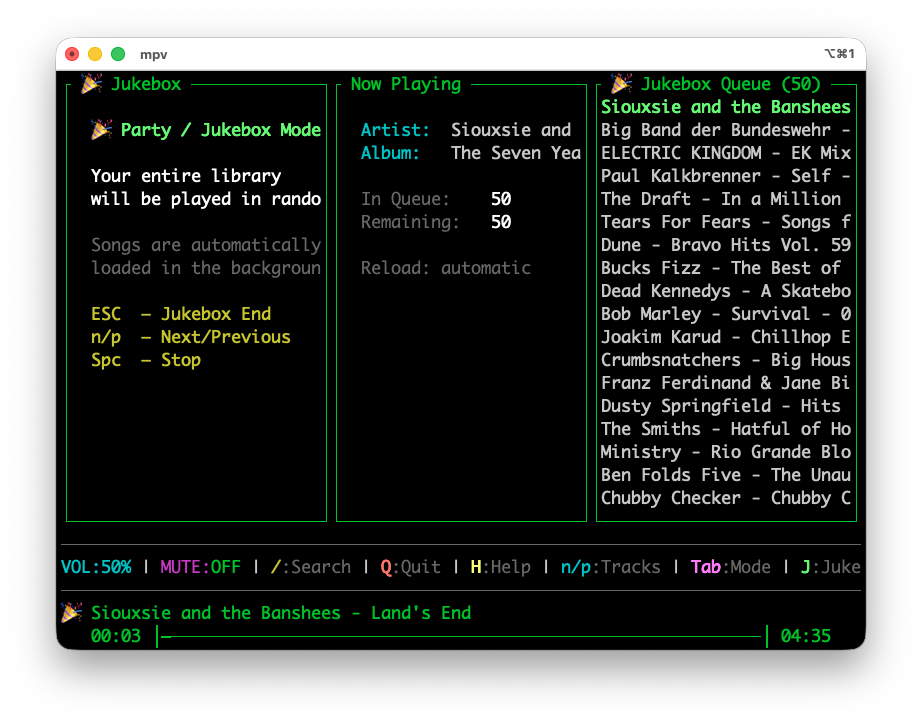
  • 🎉 Party / Jukebox Mode (Shift+J) — streams your entire library in random order. Songs are fetched from the server in batches in the background, so even a library with tens of thousands of tracks works without loading everything into memory at once.

The new Jukebox Mode plays my entire library

Read more...


TerminalDrome Features

May 28, 2026 — Jan Montag

I’m happy to announce that TerminalDrome has been officially added to the crates.io repository. This means you can now install and use TerminalDrome on your system with a simple

cargo install terminaldrome

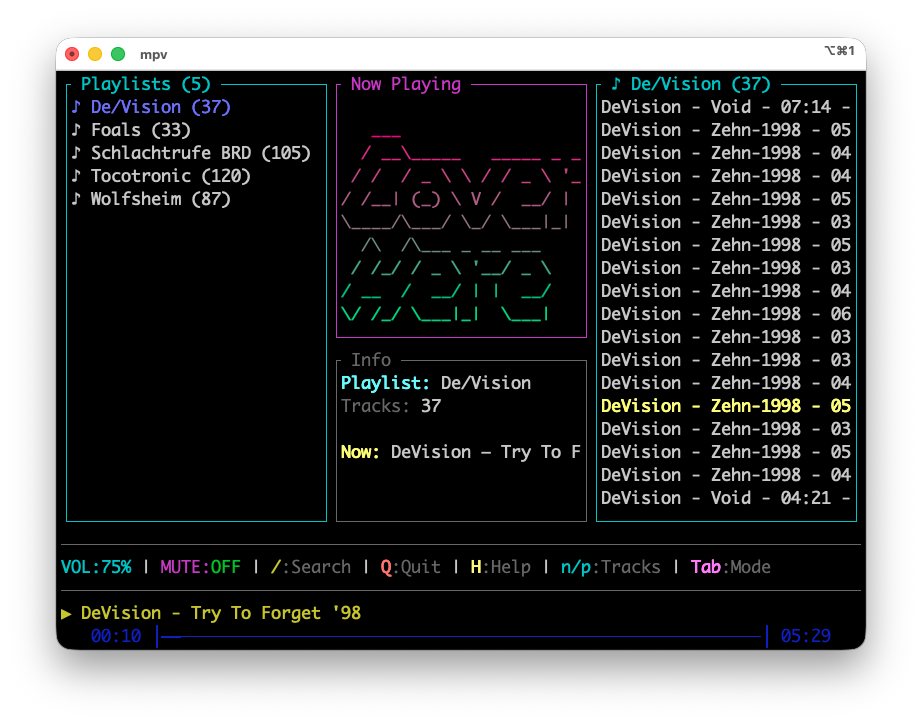
command. I’ve also added the ability to use playlists in TerminalDrome, which wasn’t available before. You can use the TAB key to switch the left pane to the playlists. In the middle, you’ll see information about the playlist, and on the right, the songs it contains. Otherwise, there were many bug fixes: one was a buffer overflow at the end of a song, which caused the runtime to be recalculated and resulted in a crash. Another was a large number of warnings, which I’ve resolved.

I look forward to your feedback and appreciate any comments you may have.

Read more...


Allow Apps From Anywhere macOS 15.2 Sequoia

January 02, 2025 — Jan Montag

So, the other day I installed a media server to stream my long lost MP3-Archive like it's Spotfiy, over the air to my Smartphone while I wear Headphones etc. pp and therefore I tested a lot of apps. I ran into the issue that macOS 15 does not let you device to open an unverified app like on the macOS releases before, it is a way harder. But the easiest solution I found is this, type in the terminal:

xattr -d com.apple.quarantine /path/to/app

Replace /path/to/app with the app, the easiest way is to drag the app into the terminal, it will complete the path automatically. After that, the app will start.

Tags: macos, apple


An IndieWeb Webring 🕸💍