A tiny admin for my Hugo blog
This is not a PowerPC post. It is a behind-the-scenes post, and honestly one I am a bit proud of.
I love static blogs. Hugo builds this site in about a second, the output is just files, and there is no database waiting to break at 3 a.m. But there is one thing I kept missing: writing a post without opening a terminal. On the PowerMac G5 that is fine. On the couch, with a tablet, it is not.
Back when Apfelhammer.de was still running on Bashblog, I had a small admin.php: one file, a textarea, an image upload, done. When I switched to Hugo, that little tool did not come along. The paths were different, Hugo wants TOML frontmatter instead of YAML, and a static site does not rebuild itself. So for a while every post meant SSH and a text editor.
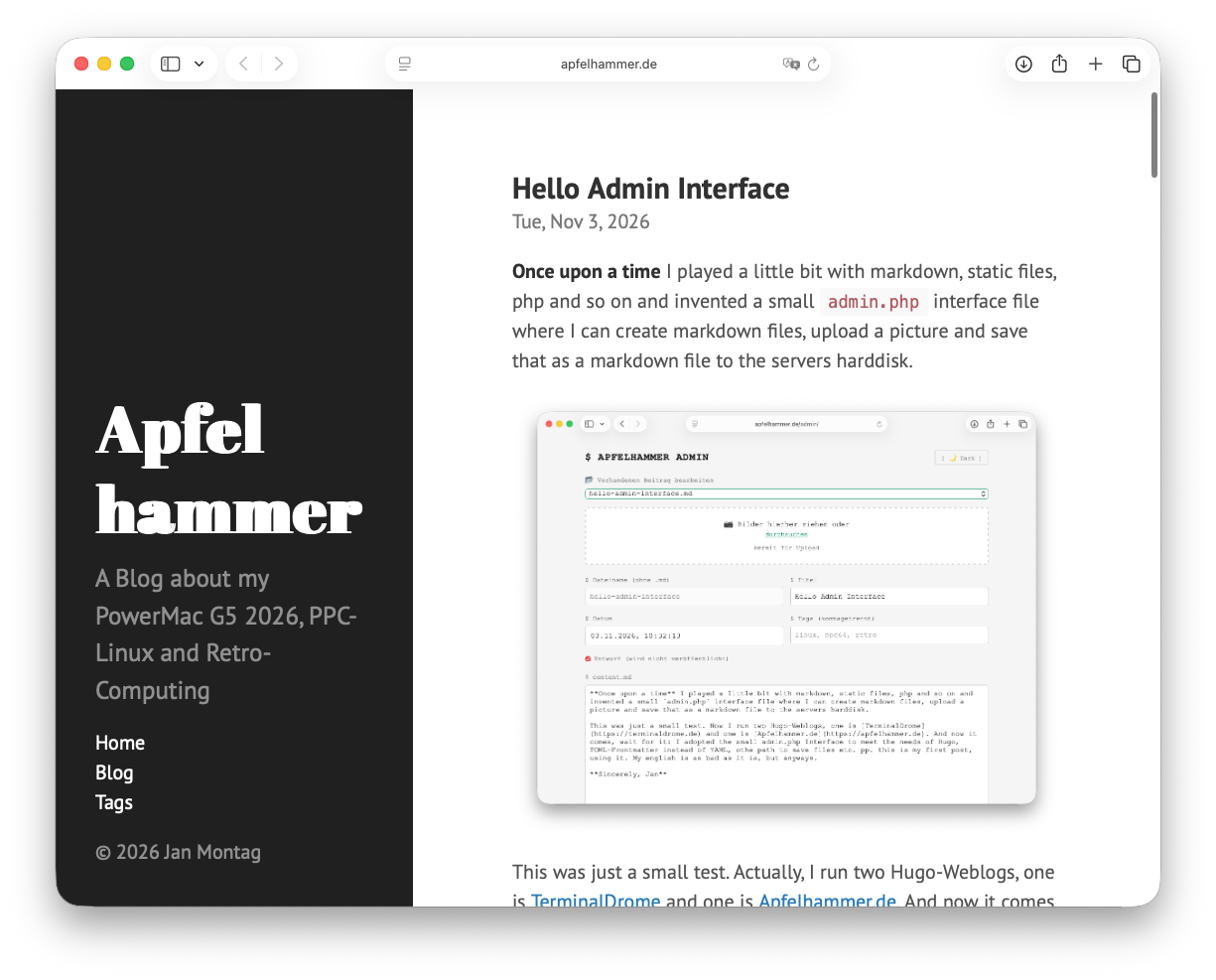
Earlier today I wrote a short hello post with the new admin. This one explains what is behind it.
One page, no framework
The admin lives at /admin/ and is protected by basic auth. That is the whole login system. No user table, no password reset flow, no session database. Caddy checks the password before the request ever reaches PHP.
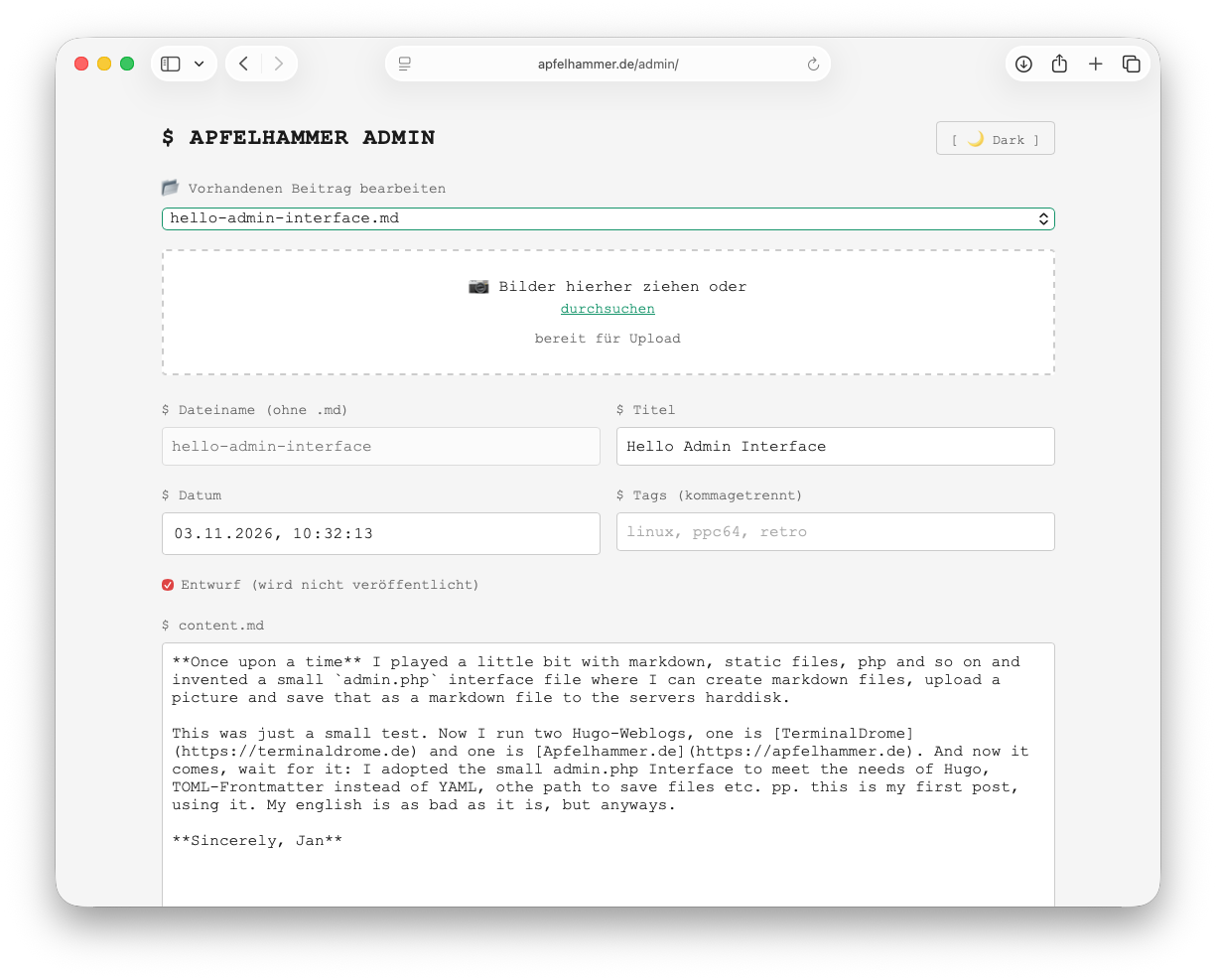
The page itself is a single PHP file. On the left you pick an existing post or start a new one. You get a filename, a title, a date, tags, a draft checkbox and a big Markdown textarea. Images can be dragged into the box, and the admin uploads them and inserts the Markdown image link at the cursor. There is a light/dark toggle, because of course there is.
No block editor. No preview pane. No plugin directory. Just Markdown and a save button.
The part that needed care: frontmatter
My posts use TOML frontmatter, and some of them carry fields the admin does not know anything about: aliases, categories, sometimes a sort_by. If the admin parsed the frontmatter and wrote it back from scratch, those fields would quietly disappear. That is exactly the kind of bug you notice weeks later, when old URLs stop redirecting.
So the admin does not rebuild the whole frontmatter. It reads the existing block, replaces only the fields it manages (title, date, tags, draft) and leaves every other line untouched. Editing an old post keeps its aliases, its categories, its formatting. Removing a tag does not remove an alias.
Drafts are handled the same way: draft = true is simply another managed key. Hugo skips the post until the box is unticked.
Saving should publish
The interesting part was the build. PHP runs as the web server user, but the Hugo site belongs to my normal account, and I did not want to give the web server broad permission to run things as me.
The solution is a small deploy script with one job: change into the site directory, run hugo, and send webmentions in the background afterwards. The web server may run exactly that one script as my user, via a single narrow sudo rule. Nothing else.
Saving a post now does this:
- write the Markdown file,
- keep a backup of the previous version,
- run the deploy script,
- show me whether the build worked.
The build takes about a second, so by the time the page reloads the post is live. Webmentions are sent after the build in the background, so the form does not sit there waiting for other servers.
If the build fails, the Markdown file stays on disk and the admin shows the Hugo error message. Nothing is lost, and I can fix it and save again.
Small things that matter
A few details took longer than the main feature:
- Real image validation. The upload checks the actual image data, not just the file extension. JPG, PNG, GIF and WEBP are allowed. SVG is not, because SVG is a little XML document that can contain scripts.
- A separate PHP-FPM pool. The admin gets its own pool with a 16 MB upload limit, while the rest of the server keeps its stricter defaults.
- CSRF tokens. Every save and upload carries a token tied to the session. Basic auth alone is not enough for state-changing requests.
- No path tricks. Filenames are generated and checked; the admin cannot be talked into reading or writing somewhere else.
_index.mdis off limits. - Backups. Every overwrite drops a copy into a backup directory first. I have never needed it. I would still rather have it.
- No
stripslashes(). My old PHP habits would have eaten backslashes in code blocks. The new admin stores exactly what I type.
What it is not
It is not a CMS. There is no media library, no scheduled publishing, no multi-user workflow, no revision history beyond the backup copies. It is one file that does the one thing I need: turn a textarea into a Hugo post, from any browser.
And that is the achievement, really. The blog is still static. The server still has no database. But I can publish from the couch now, and that changes how often I actually write.
Not bad for a lazy Sunday project that turned into a Tuesday morning one.
Sincerely, Jan
[PS] So, here you can have a look at the interface. It is in dark/light mode available.
 Jan Montag
Webmentions
Reaktionen aus dem IndieWeb (Replies, Likes, Reposts).
- Lade Webmentions …
Noch keine Webmentions.