There is always the discussion around if the Powermacs are able to boot from USB or
not and I can say: every Powermac G5 is able to boot from USB Thumbdrive. So it
is quite easy to dd an ISO of Linux or Leopard to an USB-Drive and boot-up the
Powermac G5 with it. But also older Macs. Older Roms. Older Edlers.
Accessing Open Firmware
Method I: At the chime, hold down the Option key. The Boot Picker comes up. Press Control + Z to switch to Open Firmware.
Method II: At the chime, hold down Command + Option + O + F until you’ve arrived at the Open Firmware prompt.
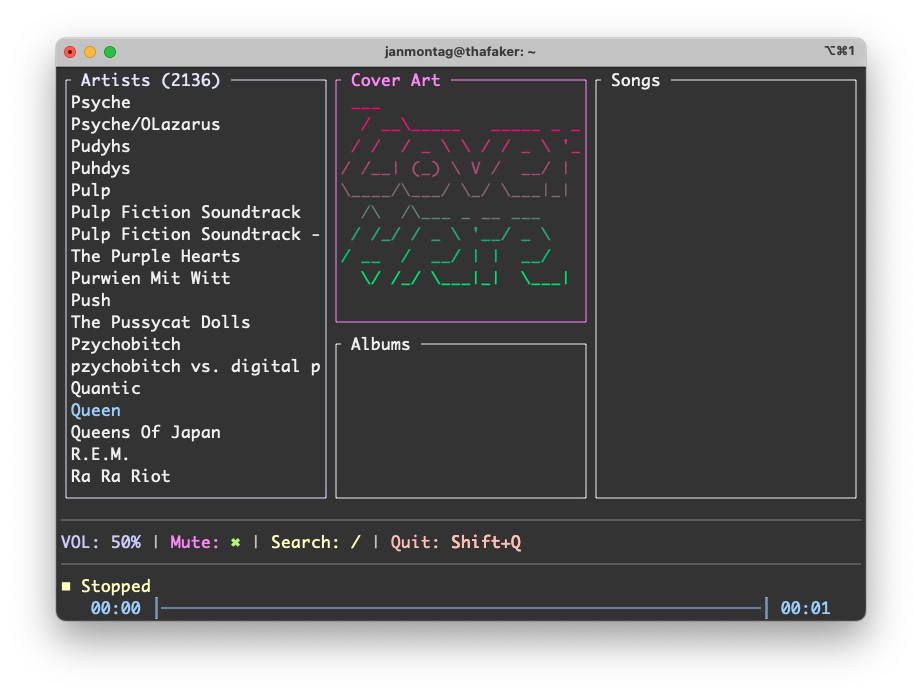
I just finished the work on TerminalDrome 0.2.2 and I am really proud of it,
because I don’t know nothing about Rust programming language but the Terminal NaviDrome Client is
running very well :-)
TerminalDrome started, Cover Art, no artist or album chosen
Whats is new?
Implemented cover art: terminaldrome is downloading the cover art of the album
if available and convert it to ASCII :-)
Album Scrolling: while in album pane, there were no scrolling implemented and
when there were more than 5 albums, you would not see them.
I plugged in that great NVMe SSD into my Powermac G5 because he supports PCI-Express (Version 1.0) and
there is a 4x Speed Port that is unused (the x16 is for the Graphicscard) and now I ran a 1 TB NVMe-SSD
in this Powermac and it is doing great. Because due the lack of drivers, Open Firmware is unable to
boot from thos NVMe-SSDs, he is able to boot from a normal 2,5" SSD on the SATA-Port. So I installed the
/boot/grub parts to that SSD and therefor it loads the Operating System from the NVMe :-) This is
working quite well and I run

 TerminalDrome started, Cover Art, no artist or album chosen