So yesterday was the release ouf 24.12 T2/Linux and the maintainer, creator
and mastermind behind, René Rebe, were at a lifestream on youtube and twitch.
So I played around with T2 on my Powermac G5 and listened to the stream and
had a small chat with him. The most important part is an actual browser on
that machine so I asked for the actual status of firefox.
René replied that the problems with big endian still exist and occours so there is no
Firefox for Big Endian Machines at the moment. Firefox builts well on all little endian
processors, but not on the big ones. There is no better answer at this time,
but I hope he can do something when he have the time. Because to make that
clear: there is not a big audience who is working on big endian ppc64 processors
like my 970MP is in the world and I believe he get’s not enough feedback and
attention for his work for the open source community. But this is another part.
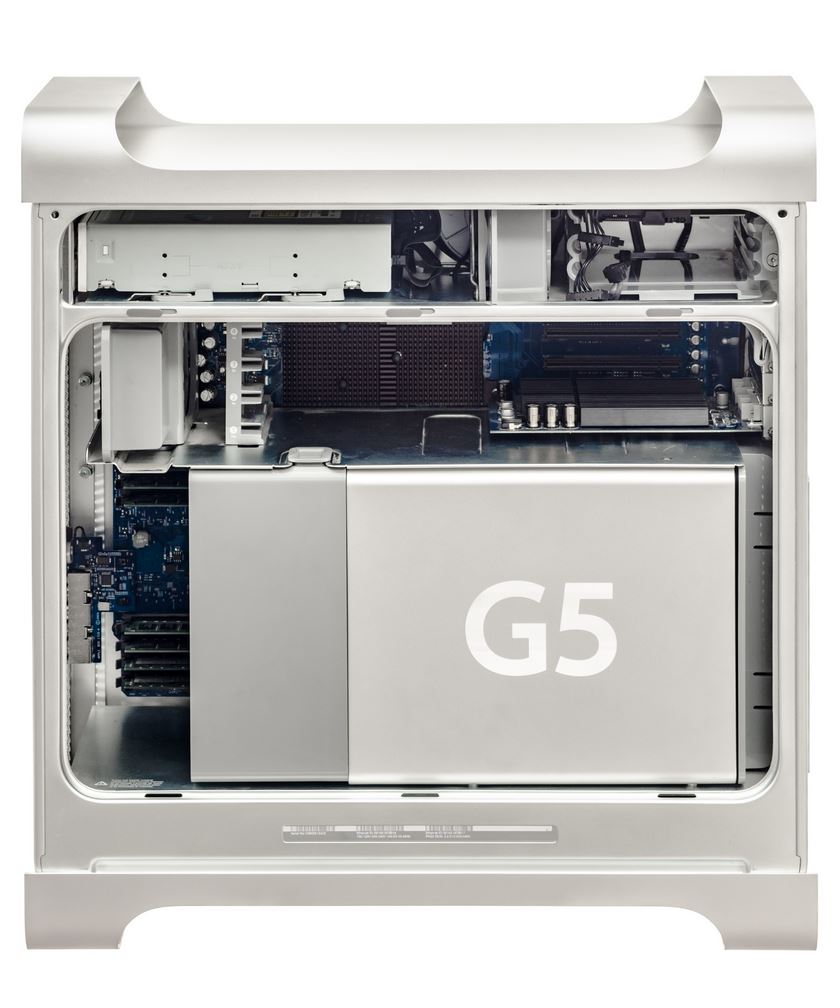
I own this late and great Powermac11,2Powermac G5 Dual Core 2,0 GHz and
I love this machine for being what it is: a great retrobattle station
and also a sexy workstation. It is so clean, no cables,
everything can be accessed easily.
Even the PowerPC 970MP 1 Processors are
known for getting really hot, the machine fans are not loud even under
heavy load while compiling latest e.g. Firefox Version 133 for PPC64.
And this is the moment were I want to setup something to crosscompile.
Because I don’t want to run the Powermac all day and all night with 78 degree
Celcius all the time while compiling and I don’t want to consump so much
electrical energy.
So yesterday I found out that with the PPC64 Version Firefox is working and this
is a dealbreaker, a gamechanger. Because of a modern Browser, you can use this
old computer nearly productive. I can webmail (even Googlemail), I can spotify,
I can Youtube. I can do a lot of modern things only because the browser is
working.
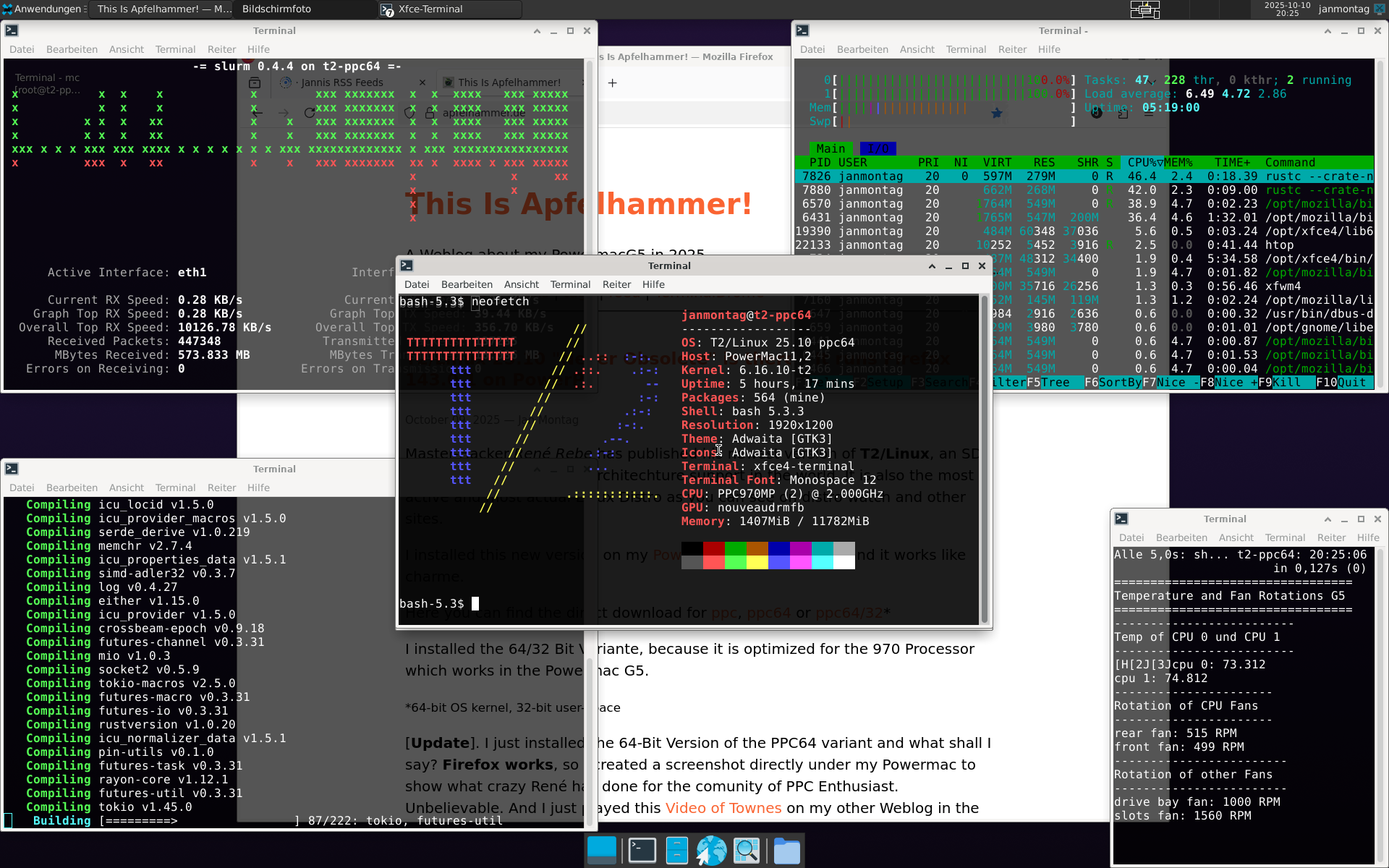
My Powermac G5 Desktop with XFCE 4 and some Terminal Windows.
Master-Hacker René Rebe has published his newest version of T2/Linux, an SDE
Linux with the most CPU Architechture support in the world. It is also
the most active and most actual Linux Distro as you can see on distro watch
and other sites.
I installed this new version on my Powermac G5 Workstation and it works like
charme.
Here you can find the direct download for ppc, ppc64 or ppc64/32*
I installed the 64/32 Bit Variante, because it is optimized for the 970 Processor
which works in the Powermac G5.
As I wrote in a few
articles before, I am a big fan of Fienix Linux because it works
absolutely amazing on my Powermac G5, it can even render
complex and modern Websites like my other Weblog (Ghost CMS) and all the big
and modern new Websites.
However, as I continued to use Fienix, I found out that I couldn’t
install any updates or other software packages. After some research,
I discovered that the Fienix APT Repowas down. I asked at the corresponding
youtube channel and even at the Website, but there was no answer.
There is always the discussion around if the Powermacs are able to boot from USB or
not and I can say: every Powermac G5 is able to boot from USB Thumbdrive. So it
is quite easy to dd an ISO of Linux or Leopard to an USB-Drive and boot-up the
Powermac G5 with it. But also older Macs. Older Roms. Older Edlers.
Accessing Open Firmware
Method I: At the chime, hold down the Option key. The Boot Picker comes up. Press Control + Z to switch to Open Firmware.
Method II: At the chime, hold down Command + Option + O + F until you’ve arrived at the Open Firmware prompt.
I plugged in that great NVMe SSD into my Powermac G5 because he supports PCI-Express (Version 1.0) and
there is a 4x Speed Port that is unused (the x16 is for the Graphicscard) and now I ran a 1 TB NVMe-SSD
in this Powermac and it is doing great. Because due the lack of drivers, Open Firmware is unable to
boot from thos NVMe-SSDs, he is able to boot from a normal 2,5" SSD on the SATA-Port. So I installed the
/boot/grub parts to that SSD and therefor it loads the Operating System from the NVMe :-) This is
working quite well and I run